Finding your next bestseller is one of the most important, but elusive and stressful decisions you have to make as an Etsy seller.
We have all spent hours scrolling through Pinterest and Etsy, trying to come up with new products that customers will want. It usually feels like a guessing game where you wouldn't know the results until you've spent hours designing and creating.
Google Trends has always been a useful tool in general, but they recently released a big update powered by Gemini AI that makes it a lot more practical and helpful for Etsy sellers.
It’s no longer just about coming up with a keyword yourself and checking the trend of that particular idea. This new feature allows Google Trends to be a great brainstorming partner for coming up with new product idea or refining your current ones. In this article, I'll walk you through how it helps uncover product opportunities that would otherwise be missed completely, validating your ideas before you ever buy supplies.
Let's get started.
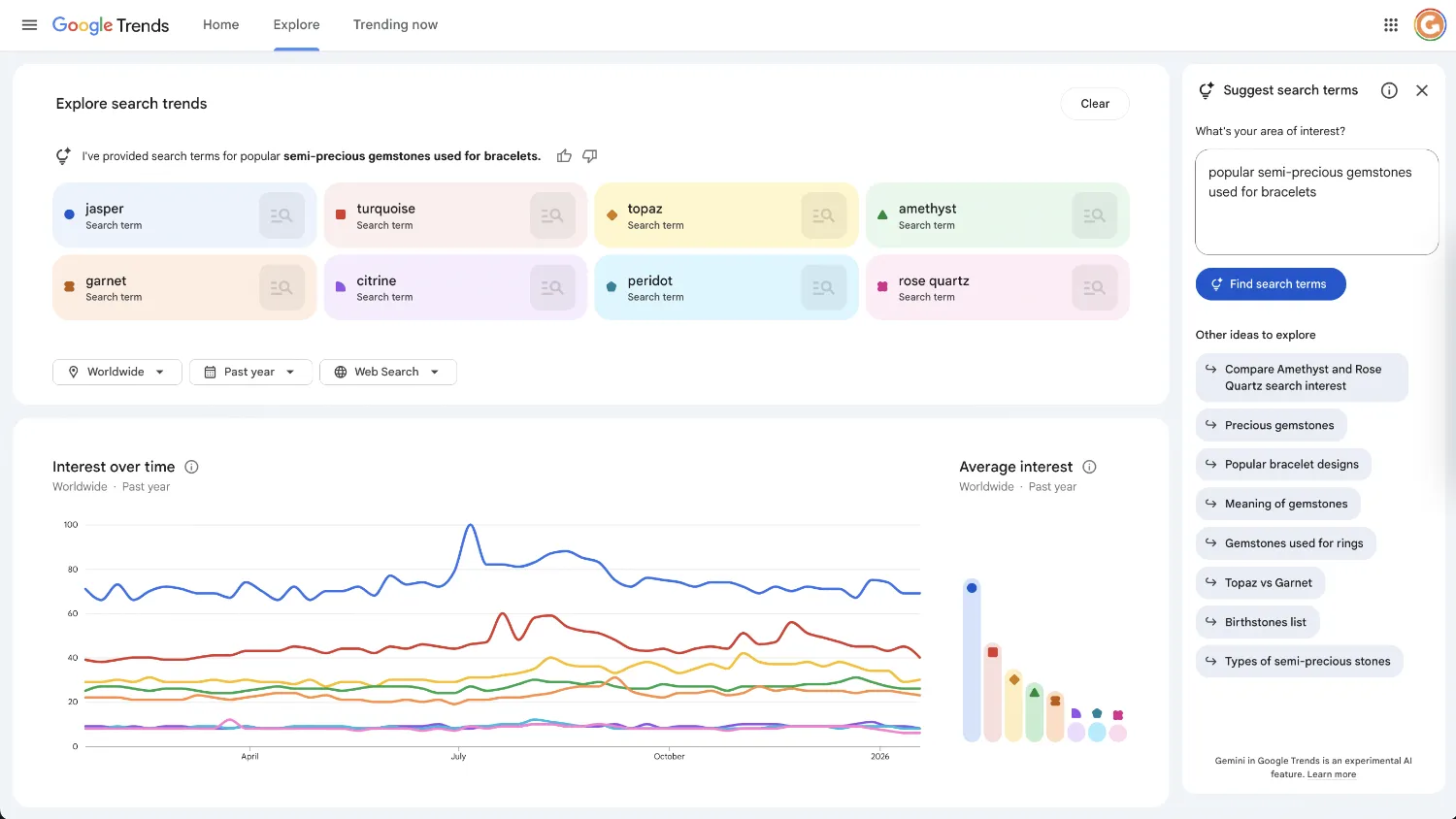
The "Suggest Search Terms" Feature on Google Trends
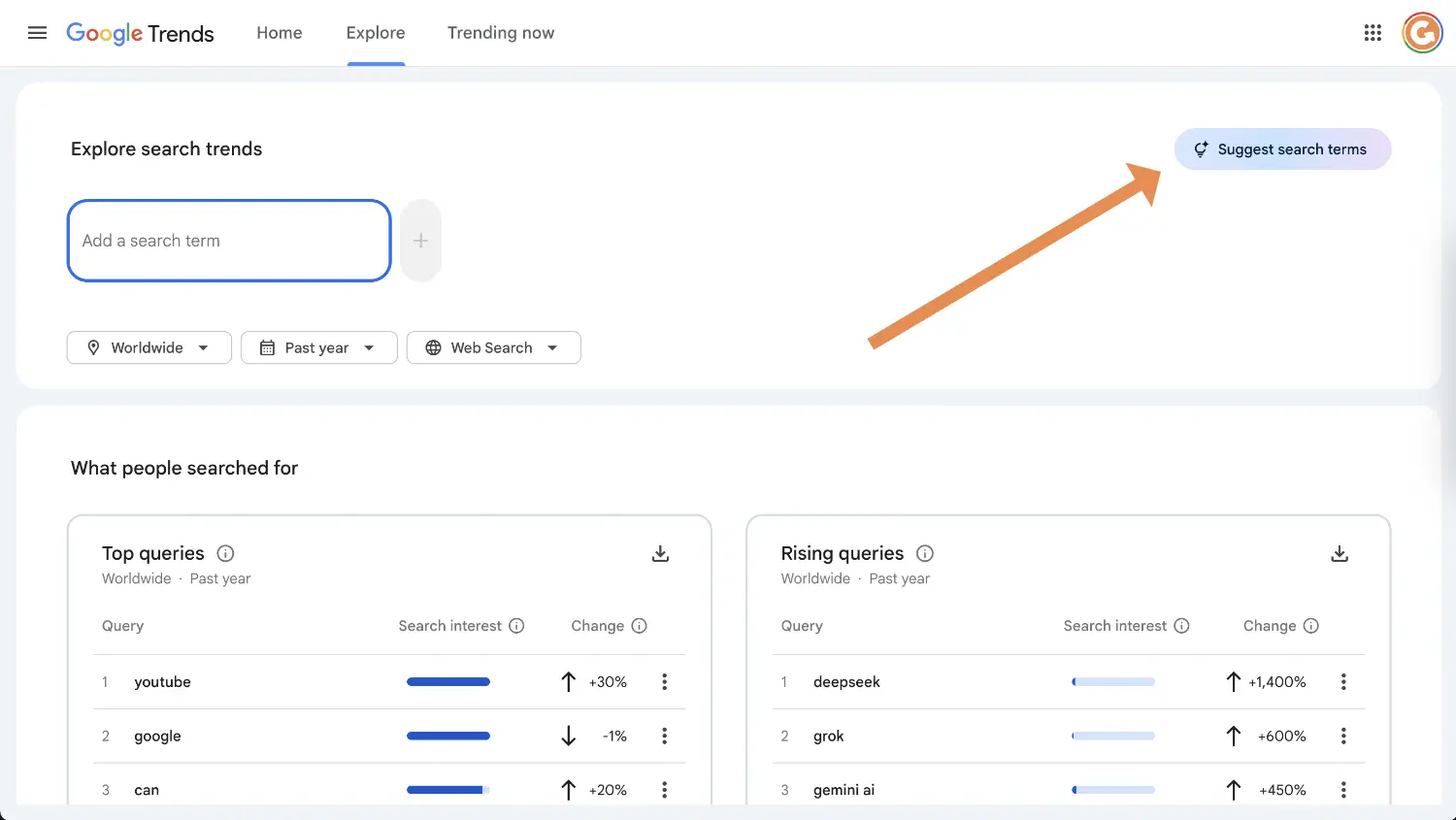
The update is called "Suggest Search Terms" and it lives in a new side panel on the Google Trends Explore page.
In the past, Google Trends was a more manual tool. You had to know exactly what you wanted to compare (e.g., "Gold Ring" vs "Silver Ring") or what particular keyword you want to know the trend of. If you didn't know what to type in, it couldn't help you. This new feature allows you to input a broad topic or a question, and the AI generates the relevant keywords for you. It automatically populates the graph with the most popular related search terms for your area of interest. We will look at exactly how to do that later in this guide.
For Etsy sellers, this solves a major limitation of using the Etsy search bar alone. Etsy's autocomplete is bound by your "seed" keyword: if you type in "amethyst", it will only show you variations like "amethyst rings" or "amethyst necklaces". It won't spontaneously suggest that "opal" or "citrine" or compare them to "amethyst".
Google Trends can break this limitation, allowing you to compare different types of products across the entire category without needing to know every specific keyword beforehand. So let's walk through how I'd use it with an example:
Step-by-Step Google Trends Tutorial for Etsy Sellers
Two tips before moving on:
- Set the location to "Worldwide" (or your specific target country like the US, but worldwide gives you more data to work with) and the timeframe to "Past 12 months" to see the full picture. If you are looking for more viral ideas, switch to "Past 3 months"
- Change the category from "Web Search" to "Google Shopping". It helps filter out people looking for Wikipedia articles or definitions. This brings the data closer to the search results you expect to see on Etsy.
So, let's imagine you sell jewelry and you want to know what gemstones are trending for jewelry pieces.
01 - Start With A Baseline
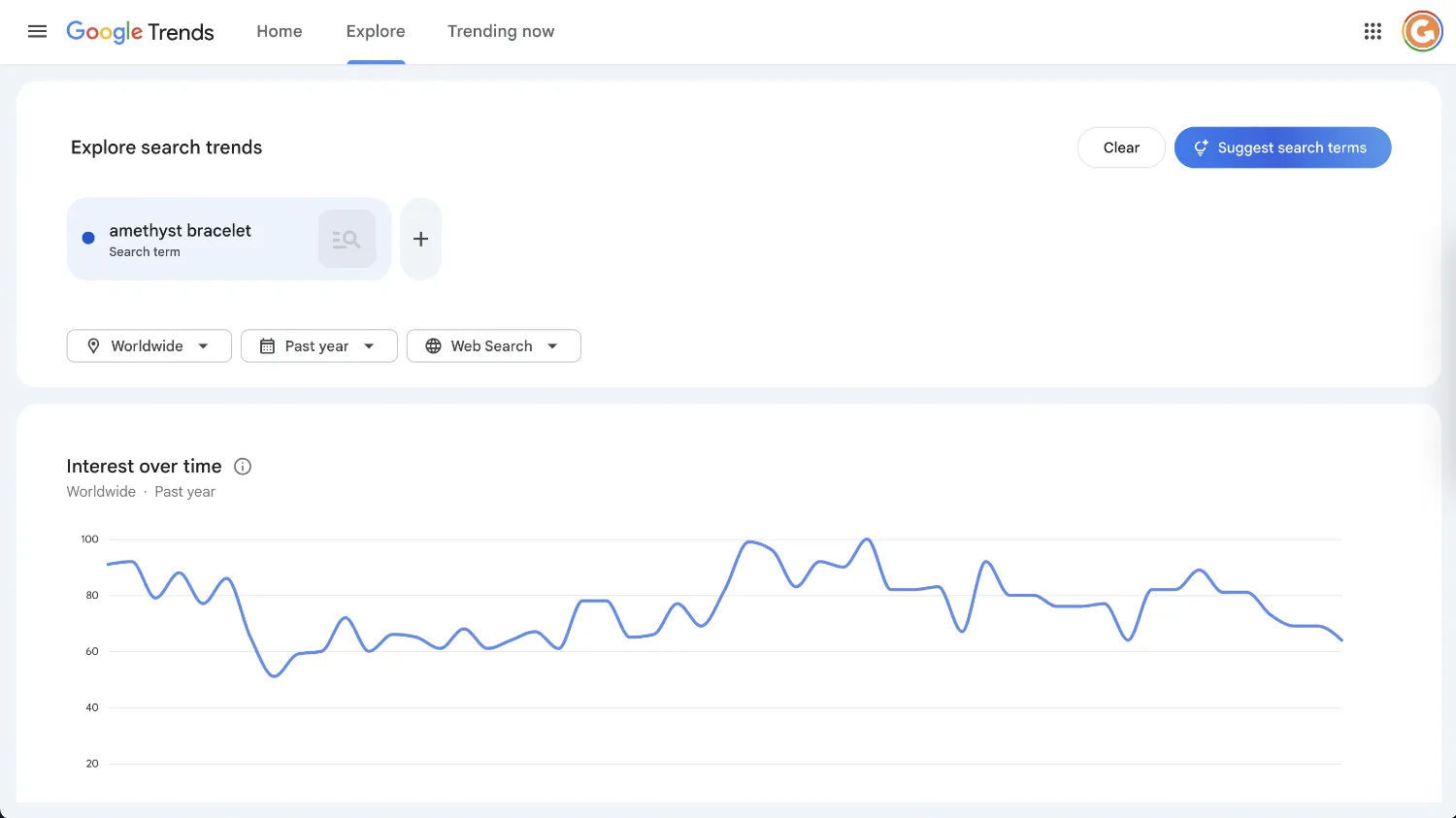
First, head to Google Trends and type in a generic term you are interested in, such as "amethyst bracelet". On its own, this gives you a single line on a graph. It tells you if interest is going up or down over time, but it lacks context. You don't know if amethyst is performing well compared to other stones, or if it is the lowest-performing stone of the year.
02 - Open The AI Panel
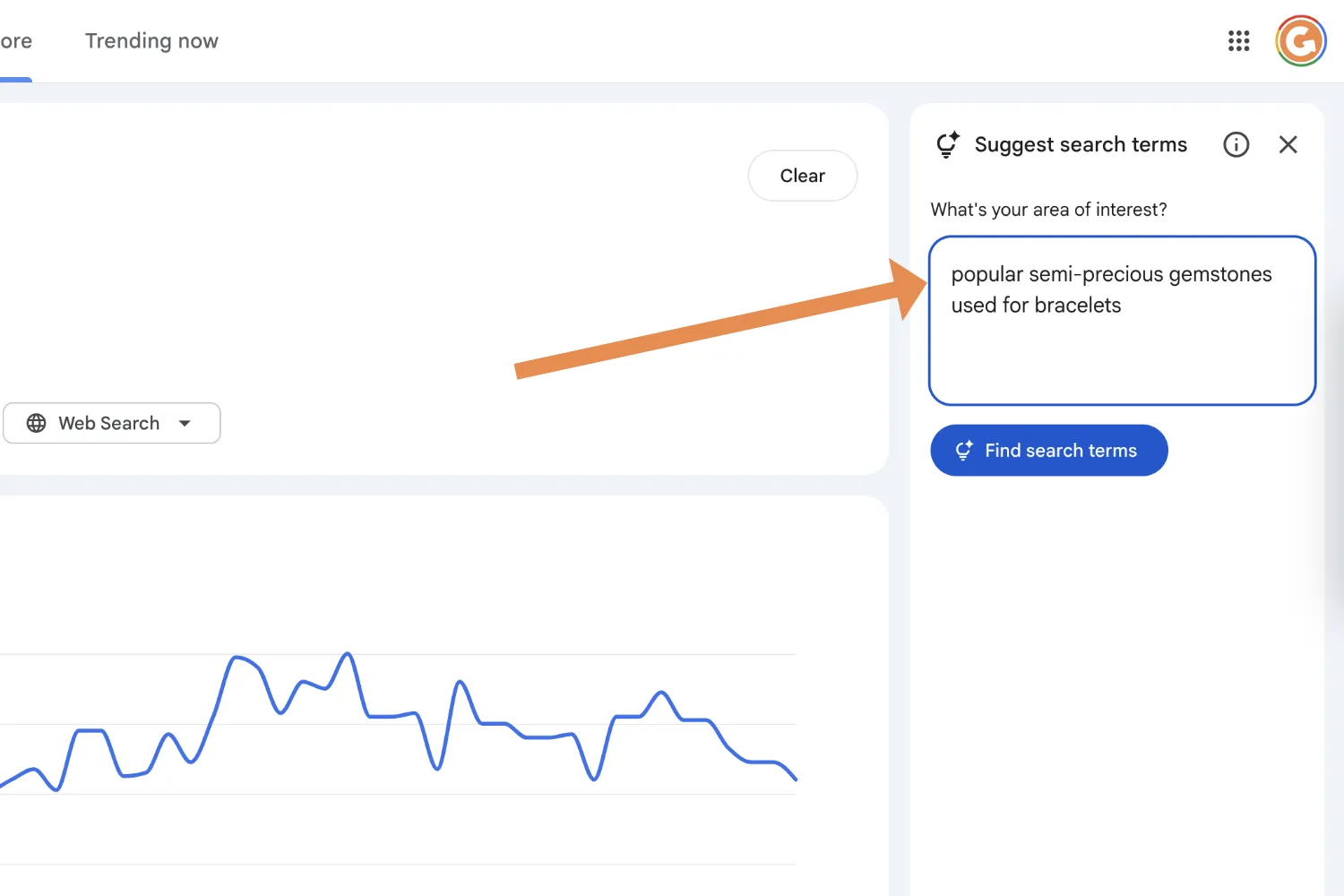
On the top right, look for the "Suggest search terms" button. Instead of guessing specific gemstones to compare, you can simply describe what you are looking for. In the input box, type something like: "popular semi-precious gemstones used for bracelets".
03 - Let The AI Build The List
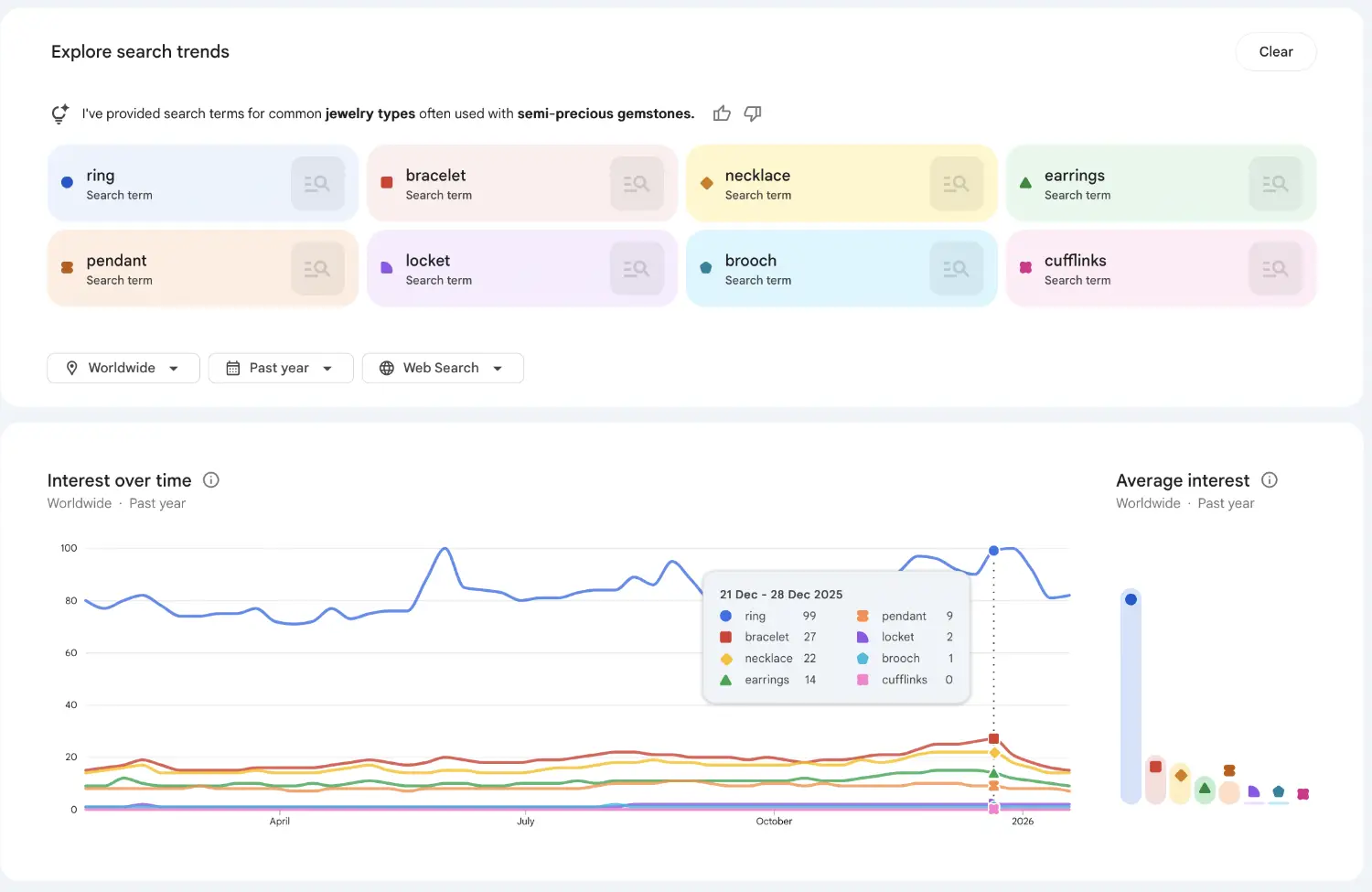
Once you hit "Find search terms," the AI analyses search data and automatically populates the graph with the top relevant trends. In our example, it pulled data for 8 different stones: Jasper, Turquoise, Topaz, Amethyst, Garnet, Citrine, Peridot, and Opal. You didn't have to manually type any of these as AI already built the list for you (but if you want to adjust any of them, you can click the 'pen' icon next to the search term.
04 - Analyse The Comparison Graph
Now you have a visual comparison of the market. Looking at the graph generated from our prompt, you can immediately see which gemstones are the most popular. For instance, you might see that Topaz has a much higher search volume and interest compared to Peridot. This gives you a clear data-backed direction: Opal is currently driving more interest than the alternatives.
05 - Check "Top" vs "Rising" Queries
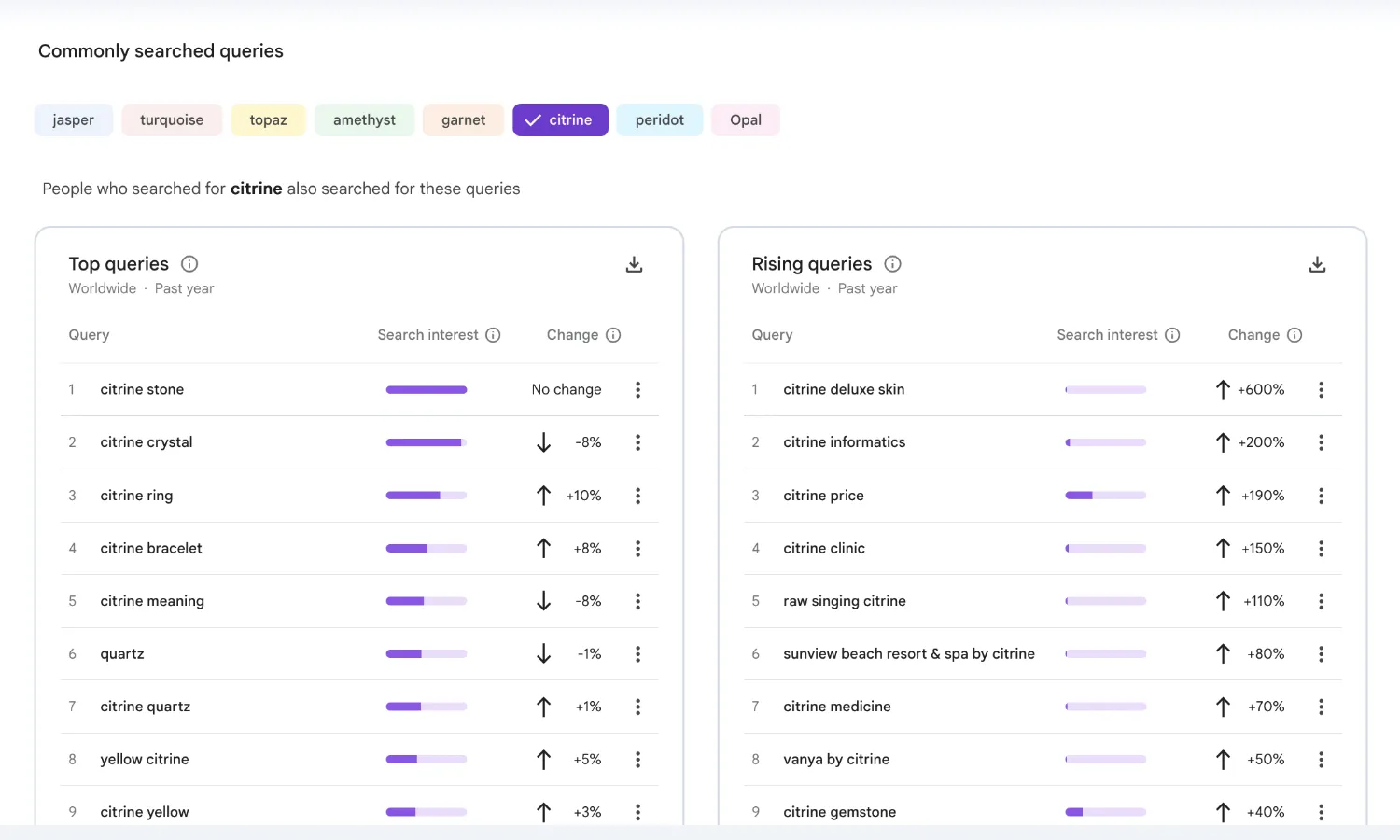
Scroll down below the graph and you can see "Commonly searched queries" section. You will see two sections: "Top" and "Rising". Top queries are your evergreen, high-volume search terms (like "Citrine stone"). Rising queries show you what has exploded in popularity recently (possible trending and viral ideas). Catching a "Rising" query early is how you launch a product just as the wave is starting, rather than when the market is already saturated.
06 - Layer Your Research With A Second Prompt
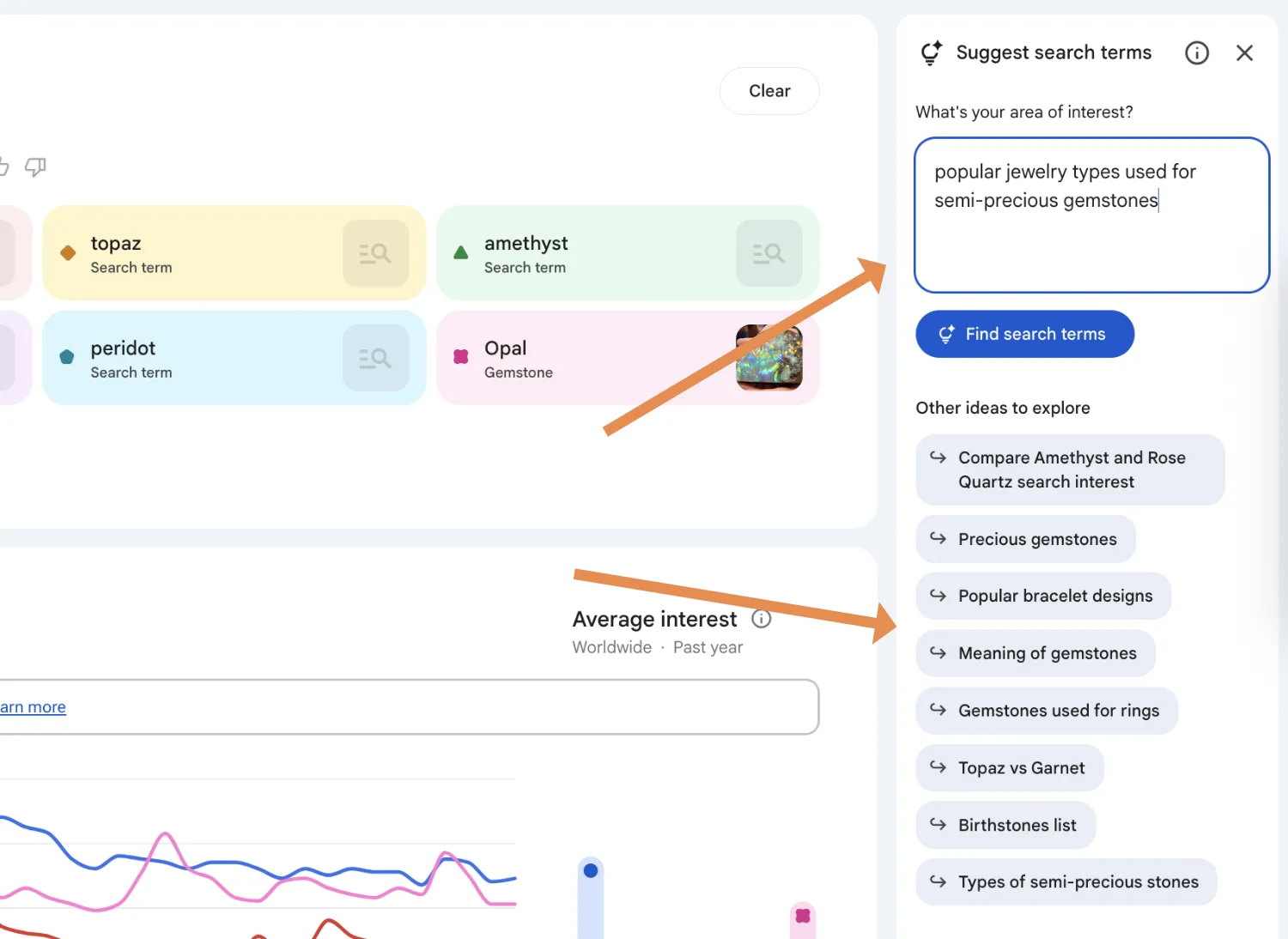
Now that you know gemstones like topaz and opal are popular, but what specific jewelry piece should you make? To create a clear picture for your product idea, you can run additional searches in the AI panel with a prompt like: "popular jewelry types used for semi-precious gemstones" or "2026 trending jewelry style". This will give you results about jewelry type, style, choice of metal. By combining multiple steps, you're building a complete picture of a popular product, for instance: "opal ring in sterling silver". Otherwise, you can use one of the new prompts suggested by Google.
Additional Use Cases For Etsy Sellers
Beyond simple product research, there are a few extra ways to make the most out of this tool to grow your Etsy shop.
Refining Your Tags & Titles
You can use the AI to find synonyms you might have missed. If you prompt for "terms related to boho jewelry", the AI might suggest specific aesthetic terms like "coastal grandmother" or "cottagecore" that you can use in your Etsy tags to reach a more targeted audience.
Content Marketing Ideas
Sometimes the results will show you questions people are asking rather than just products. If you see "Meaning of Amethyst" or "How to clean Opal" appearing in the trends, these could be great topics for your social media content. Creating a reel or a blog post answering these questions establishes you as an expert and drives traffic to your listing.
Important Caveats for Etsy Sellers
Caveat 1: Google Intent vs Etsy Intent
What is popular on Google may not be the same as what is popular on Etsy. People often search Google to find information, whereas they search Etsy to buy. For example, in the 'Top Queries' on Google Trends, you might see phrases like "what is amethyst" or "amethyst meaning". These are informational searches. A high volume here doesn't always guarantee high sales volume. It is smart to take the ideas you find on Google and verify them in the Etsy search bar to ensure the intent is transactional.
Caveat 2: Skewed Data & Pop Culture
Some search terms can be exaggerated or skewed because the word has multiple meanings. A classic example is the word "Ring". Search volume for "Ring" often spikes due to pop culture events, such as the "Lord of the Rings" movies or the video game "Elden Ring", rather than people looking for jewelry.
We can actually see this in the Citrine example from the tutorial. Under the "Rising Queries" for Citrine, the data shows "Citrine deluxe skin" (+600%) and "Citrine informatics" (+200%). These are references to the video game Warframe, where there is a character named Citrine. If you didn't look closely, you might think Citrine jewelry was having a massive viral moment, when in reality, it's just gamers looking for video game skins. Always check the context of the keywords to ensure they are relevant to your niche.