(This article was created in partnership with Gelato and contains affiliate links. As always, all tips and opinions shared here are my own.)
It’s late December. You’ve just survived the holiday rush, and you're taking a well-deserved break from Christmas and New Year.
But while most Etsy sellers are in "hibernation mode", the top 1% of sellers are already making their moves for the next gold rush: Q1 Gifting.
Valentine’s Day is one of the most important gifting events in 2026 Q1. And one specific type of product really works for Valentine's Day: Personalised Gifts.
We know that personalised items - like a mug with a name or a hoodie with an anniversary date - convert up to 3x higher than generic items. But for most POD sellers, personalisation is not scalable. It usually requires manual work for every single order, killing your passive income dream.
In this guide, I’m going to show you a specific strategy to capture the Valentine's rush without the manual work, using a tool that automates the entire process.
Why Start Preparing For Valentine's Day Now
"Valentine's Day is in February. Why worry about it now?"
There is a logical business reason for this: The Etsy Algorithm Lag. Etsy’s algorithm doesn’t work instantly. When you publish a new listing, it takes roughly 3 to 4 weeks for Etsy to properly "index" it, test it in search results, and give it a quality score. Also, at the beginning of February, when every other seller is listing new Valentine's Day listing, your chance of standing out and ranking well is much lower than listing in January.
Also, many shoppers are already planning a special Valentine's Day gift once the new year hits. Their research starts in January so capturing their attention early works.
The Trap: The "Old Way" of Selling Personalised POD
If you use most print-on-demand platforms, selling personalised items is a not the most scalable process.
The Old Workflow:
- A customer orders a mug and types "Sarah" and the birthday in the personalisation box.
- You get the order.
- You have to open Canva or Photoshop.
- You update your design file to say "Sarah" and change the dates in the design.
- You download the file from Canva, log into your POD provider, find the order, upload the new file, and submit it.
If you get 10 orders a day, that’s over an hour of boring, unpaid data entry. If you get 50 orders during the Valentine's rush, your entire day is gone.
The New Automated Way
One of the print-on-demand providers - Gelato - has a solution that solves this problem. They have a built-in tool called Personalization Studio that integrates natively with Etsy. Here's how it works:
- A customer orders a mug and types "Sarah" and the birthday.
- Gelato’s tech automatically pulls "Sarah" and the date info from Etsy, creates a new print file based on your design, and the sends it to the printer.
- The personalisation process is automated. You don't need to touch the design file in Canva/Photoshop and the order fulfils itself by Gelato.
How to Set Up Gelato's Personalization Studio (Tutorial)
1. Connect Your Shop
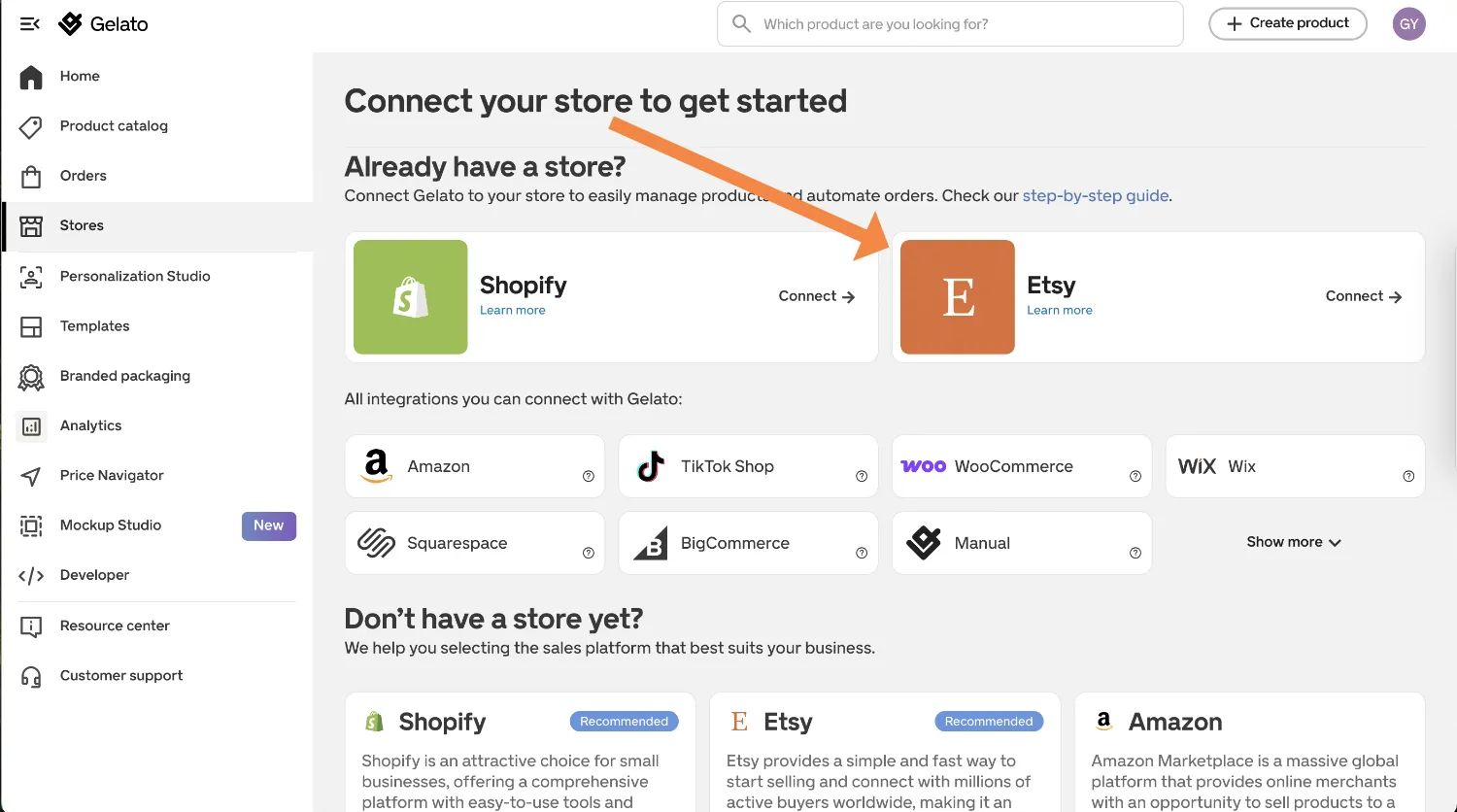
Go to your Gelato Dashboard, click 'Stores' on the left menu, and select Etsy. Follow the simple prompts to authorize the connection.
2. Choose Your Product
Browse the Gelato catalog and pick the item you want to sell. Click "Add to store" to open the product designer.

3. Enable Personalization
Inside the designer, look at the left-hand menu. Click 'Personalize' and then select "Automated Etsy personalization." This switches the tool to "template mode."

4. Add Your Text Layer
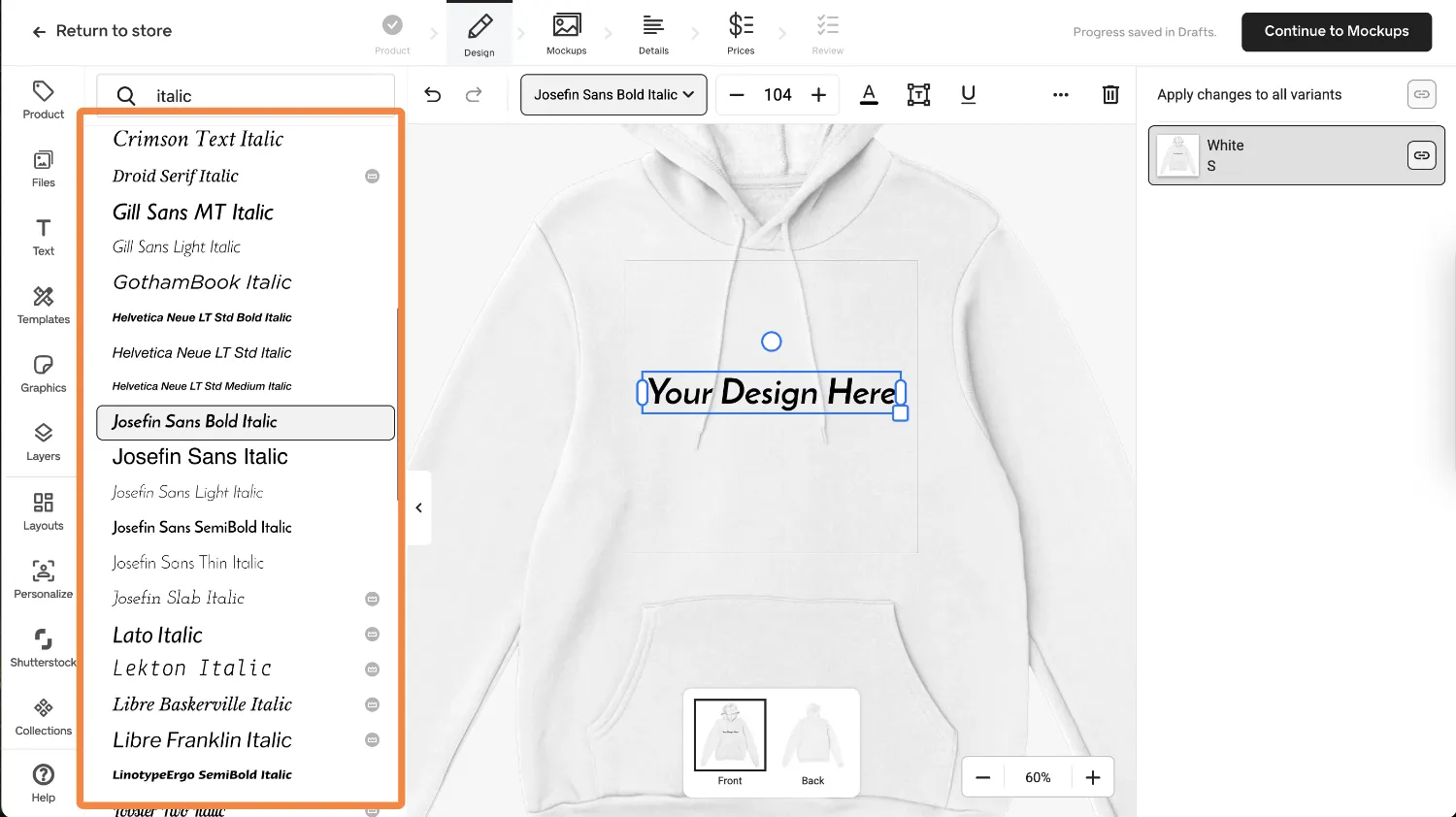
Click "Add Personalized Layer" to add text (or an image) to your design. For this example, let's add a simple name. You can choose from Gelato's extensive font library to match your design style perfectly.
5. Preview the Experience
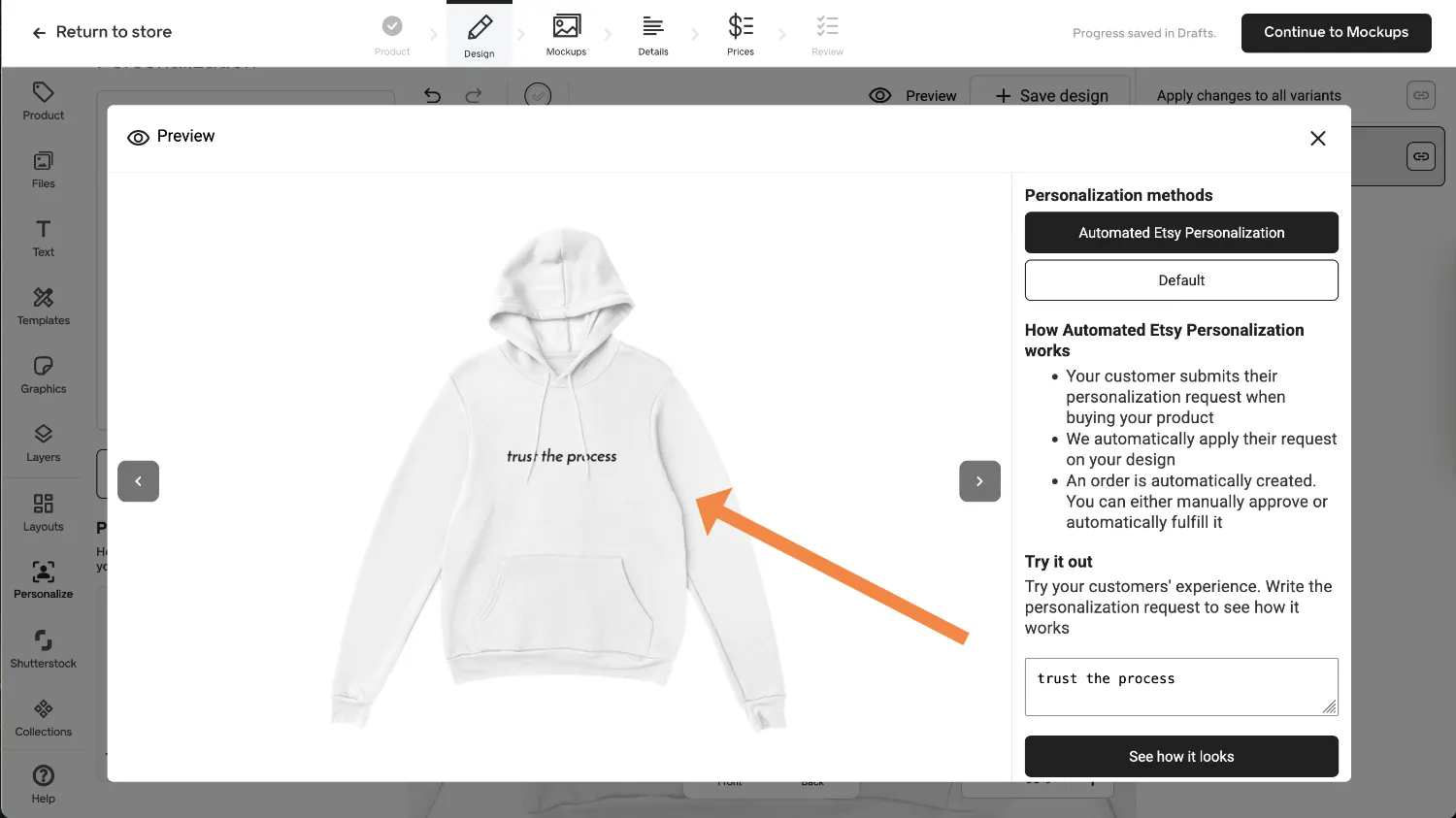
This is a great feature. Use the Preview widget to type in a fake name (like "Sarah") to see exactly how it will look when printed. It gives you peace of mind before you sell.
6. Select Professional Mockups
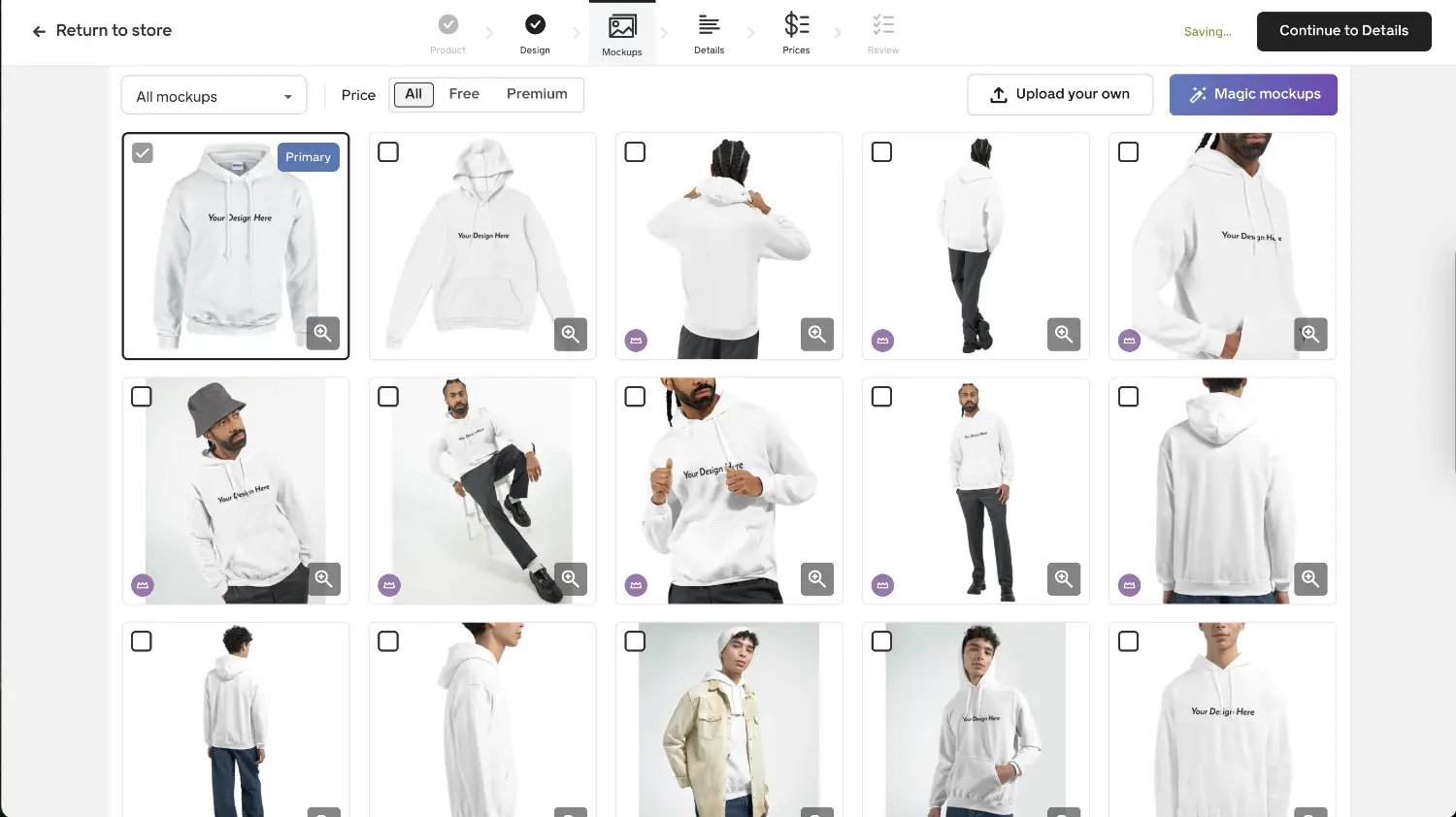
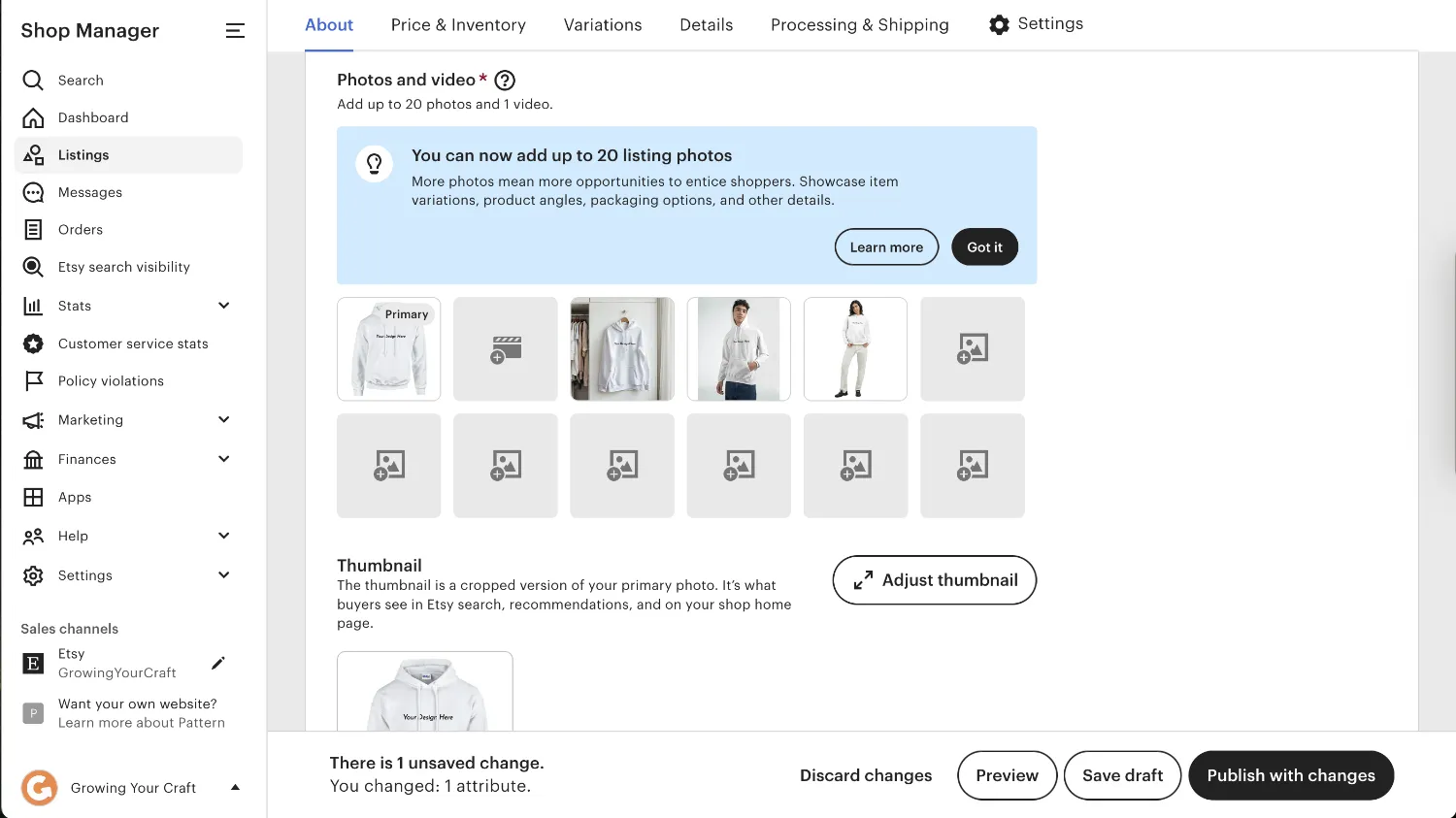
On the next page, choose your mockup photos. Gelato automatically places your design on these professional images, saving you from needing to do a photoshoot. Pick the ones you want to be included in your Etsy listing.
7. Review Listing Details
Gelato will auto-fill a title and description for you. Important: Review these! Make sure to tweak the title with your own keywords to fit your brand and Etsy SEO strategy.

8. Link to Etsy
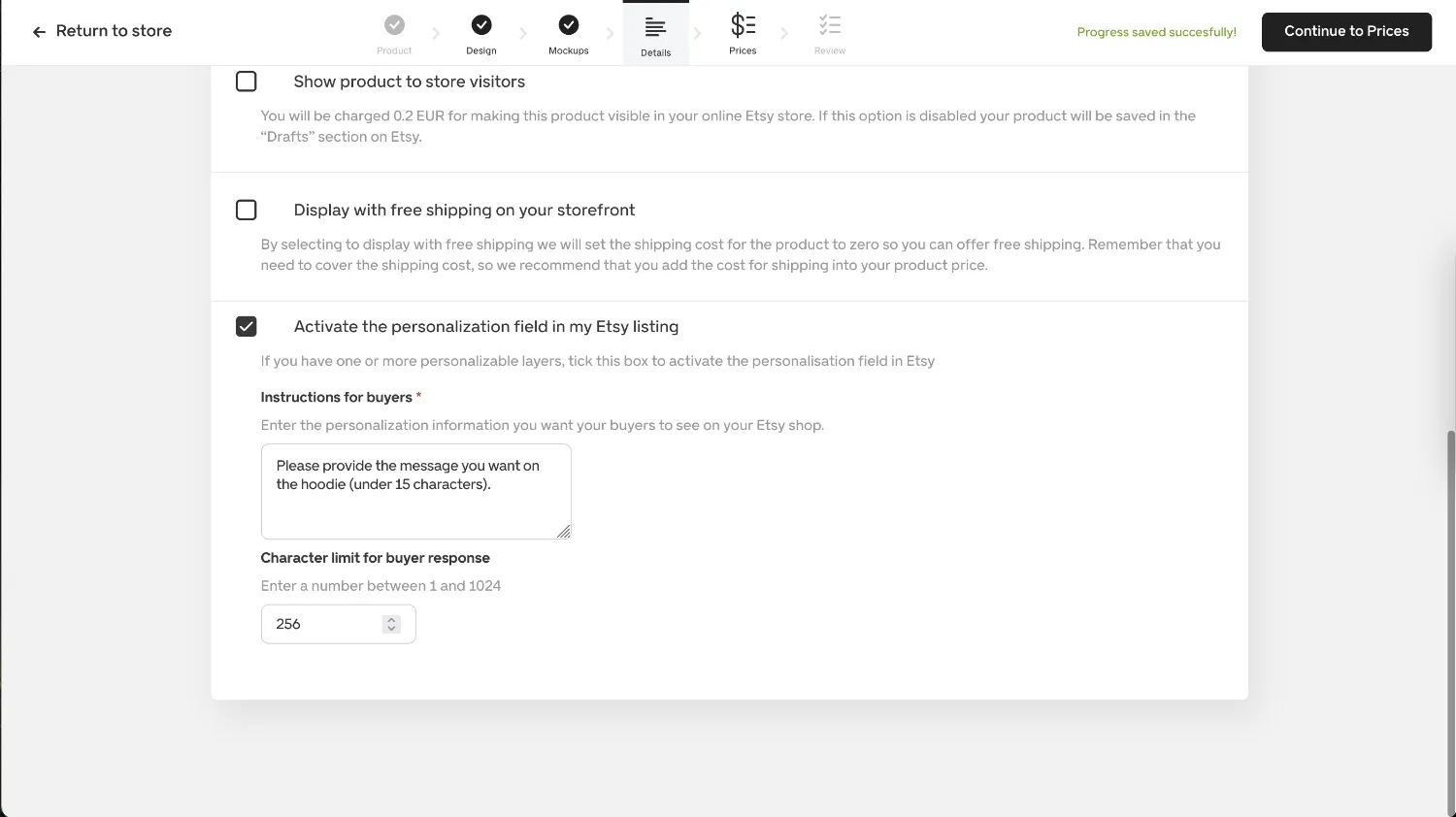
Scroll down to the "Personalization" section. Check the box that says "Activate the personalization field in my Etsy listing". Then, type in the "Instructions for buyers". This connects the Etsy text box directly to your print file.
9. Price and Publish
Set your price and profit margin, then hit publish. Don't worry, it will send the product to your Etsy shop as a 'Draft' listing. You can go into Etsy, make any final tweaks to tags or photos, and publish it when you are ready.
High-Ticket POD Product Ideas to Set Up
Here are three specific product strategies you can set up today using this automation to target the Q1 market.
Product Idea 1: The "Galentine's" Mug
- The Product: Ceramic Mug (11oz).
- The Design: "[Name 1] x [Name 2] - Bestie since [Year]"
- The Strategy: Use the Personalization Studio to make the names and year an editable field.
Product Idea 2: The Premium "Couple's" Hoodie
- The Product: Premium Embroidered Hoodie.
- The Design: Simple initials embroidered on the sleeve or chest (e.g. "A + B").
- The Strategy: Embroidery is usually huge manual work. Gelato allows you to automate personalised embroidery. This creates a high-perceived value product that looks expensive but fulfils automatically.
Try Gelato's Personalization Studio For Free
You can actually start using the Personalization Studio on Gelato's free plan right away (there is 6% fee per order on Gelato's free plan, but no fee on Gelato+).
Gelato is currently offering a "Free Shipping Month" for Annual subscribers from January 1st to February 5th, which means you can cut your costs significantly for this year's Valentine's Day shopping period.
Click here to try Gelato+ and unlock the Q1 Free Shipping Month
Frequently Asked Questions
1. Why choose Gelato over other POD platforms for personalized products?
Honestly, it comes down to the automation. Most competitors still require you to manually open a design file, type in the customer's name, save it, and re-upload it for every single order. Gelato’s Personalization Studio handles that entirely in the background, so the order fulfils itself without you touching it.
2. How much time does the automation actually save?
It depends on your volume, but think of it this way: The manual method takes about 5-10 minutes per order. If you get 50 orders during the Valentine's rush, that’s 4 to 8 hours of boring data entry saved. It turns a frantic week into a passive one.
3. When should I start listing Valentine's products?
You want to start in early January (or even late December). Etsy's search algorithm typically takes 3-4 weeks to properly "index" and rank a new listing. By listing now, you ensure your products are visible on Page 1 when the shopping rush actually starts in mid-January.
4. What kind of profit margins can I expect?
Personalised items generally command a higher price than generic ones. Combined with the Gelato+ discount, many sellers see healthy margins. Plus, if you grab the Gelato+ Annual deal mentioned above, you get free shipping from Jan 1 - Feb 5, which goes straight to your bottom line during the busiest weeks.
5. What products sell best for Valentine's Day?
The top performers are usually gifts that feel sentimental or shareable. Think "Galentine's" mugs for friends, embroidered hoodies with simple initials on the sleeve (a huge trend right now), or framed wall art with specific dates or coordinates.